MacBook Air M1 vs M4: which to buy?
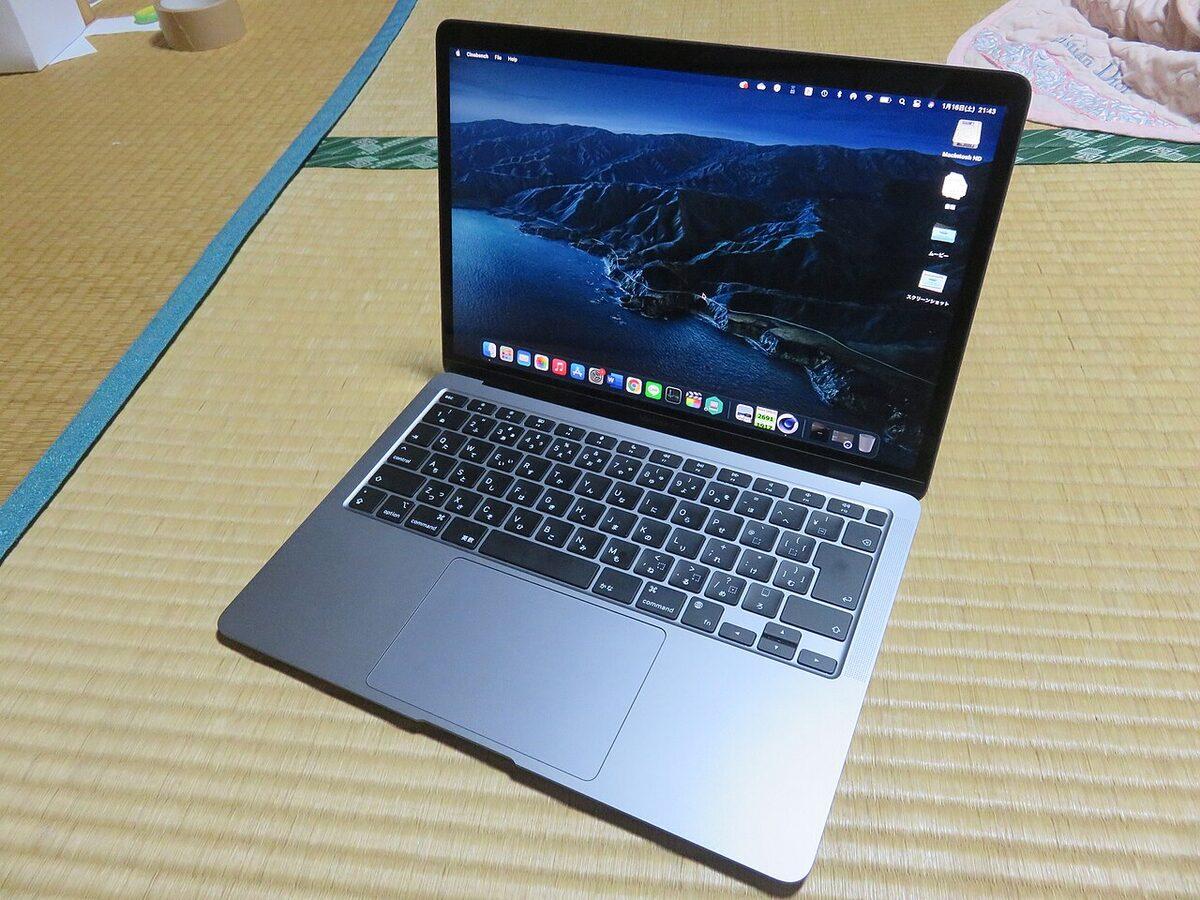

Our verdict
The M1 Air is still a quiet, fanless, sharp-screened laptop that handles study and office work, and it still runs a modern Mac. The M4 Air is the one to buy if you want it to last: every model has at least 16GB of memory (the M1 came with 8GB or 16GB), it supports two external displays instead of one, and it adds a 12MP Center Stage camera, Thunderbolt 4 and MagSafe 3. Notebookcheck's Cinebench 2024 single-core scores are 110 for the M1 and 173 for the M4. Neither can be upgraded later, and an M1 unit is several years old, so check its battery.
Choose the Apple MacBook Air (M1, 2020) if
- You want a quiet, fanless Mac for study or office work
- Video calls are occasional, so the 720p camera is fine
- You can find a unit with good battery health, since every M1 Air is now several years old
Choose the Apple MacBook Air (M4, 2025) if
- You want 16GB of memory as standard rather than hunting for a 16GB M1
- You need two external monitors while using the laptop screen
- You make frequent video calls and want the Center Stage camera
- You want MagSafe 3 charging and Thunderbolt 4 ports
What really differs
| Apple MacBook Air (M1, 2020) | Apple MacBook Air (M4, 2025) | |
|---|---|---|
| Memory | 8GB or 16GB | At least 16GB; 16, 24 or 32GB |
| Speed | Notebookcheck measured 110 points in Cinebench 2024 single-core | Notebookcheck measured 173 points in Cinebench 2024 single-core |
| External displays | One, up to 6K at 60Hz | Up to two, up to 6K at 60Hz, with the built-in screen on |
| Webcam | 720p | 12MP Center Stage camera with Desk View |
| Ports and charging | Two Thunderbolt / USB 4 ports plus a headphone jack; charges over USB-C | Two Thunderbolt 4 ports plus MagSafe 3 charging |
| Screen | 13.3-inch 2560 x 1600 Retina with P3 colour | 13.6-inch 500-nit screen with a notch, 60Hz, no PWM flicker (Notebookcheck) |
| Battery | Apple rates up to 15 hours of wireless web use from a 49.9Wh battery | Apple claims up to 18 hours of video streaming; Notebookcheck measured over 16 hours of Wi-Fi browsing at 150 nits (different tests, so not directly comparable) |
| Sustained load | Fanless; about 12% drop in a repeated Cinebench run (Notebookcheck) | Fanless; multi-core about 13% lower after 30 minutes (Notebookcheck) |
Specs side by side
| Apple MacBook Air (M1, 2020) | Apple MacBook Air (M4, 2025) | |
|---|---|---|
| Launched | 2020 | 2025 |
| Processor | Apple M1 | Apple M4 |
| GPU | Integrated | Integrated |
| RAM | 8GB, 16GB | 16GB, 24GB, 32GB |
| Storage | 256GB, 512GB, 1TB, 2TB | 256GB, 512GB, 1TB, 2TB |
| Easy to carry | Yes | Yes |
Filled dots are the options each model came in; open dots are other sizes found elsewhere in our catalogue.
52 models, coloured by type. The year is the model's launch year in our catalogue.
Used asking prices in Malaysia
Common questions
Is the MacBook Air M4 worth it over the M1?
If you want 16GB as standard, two external displays, a better camera and MagSafe, yes, and Notebookcheck's single-core Cinebench 2024 score is 173 against 110. For notes, documents and browsing, the M1 Air still does the job, so it is the better value if the price gap is large.
Can the M1 or M4 MacBook Air run two external monitors?
Only the M4. Apple lists one external display up to 6K at 60Hz for the M1, while the M4 supports up to two external displays up to 6K at 60Hz with the built-in screen at full resolution.
Do both have a fan?
No. Both are fanless and silent, but both slow down under long heavy loads. Notebookcheck saw about a 12% drop for the M1 in a repeated Cinebench run and about a 13% multi-core drop for the M4 after 30 minutes.
Can I add RAM or storage later?
No. On both models the memory and SSD are soldered. Choose the amount you need now: most M1 units have 8GB, while the M4 starts at 16GB.
What should I check on a used M1 Air?
Battery cycle count and Battery Health (Apple rates the battery for 1000 cycles), that Find My Mac is off and Activation Lock is cleared, and the RAM and storage in System Information. Every M1 Air is several years old, so battery condition matters more than small spec differences.
Sources · Updated 2026-11-24
- support.apple.com/en-us/111883
- support.apple.com/en-us/102888
- support.apple.com/en-us/102541
- notebookcheck.net/Apple-MacBook-Air-2020-M1-Entry-Review-Apple-M1-CPU-humbles-In
- support.apple.com/en-us/122209
- support.apple.com/en-us/122210
- apple.com/my/newsroom/2025/03/apple-introduces-the-new-macbook-air-with-the-m4-c
- notebookcheck.net/The-passively-cooled-M4-SoC-makes-the-competition-look-old-App
- notebookcheck.net/Apple-MacBook-Neo-Review-Surprisingly-good-and-capable-laptop-