Apple MacBook Air (M1, 2020)
The 2020 MacBook Air was Apple's first laptop with its own M1 chip. It is a silent, fanless 13.3-inch notebook with long battery life, and on the used market it is a sensible way into a modern Mac for students and office users.
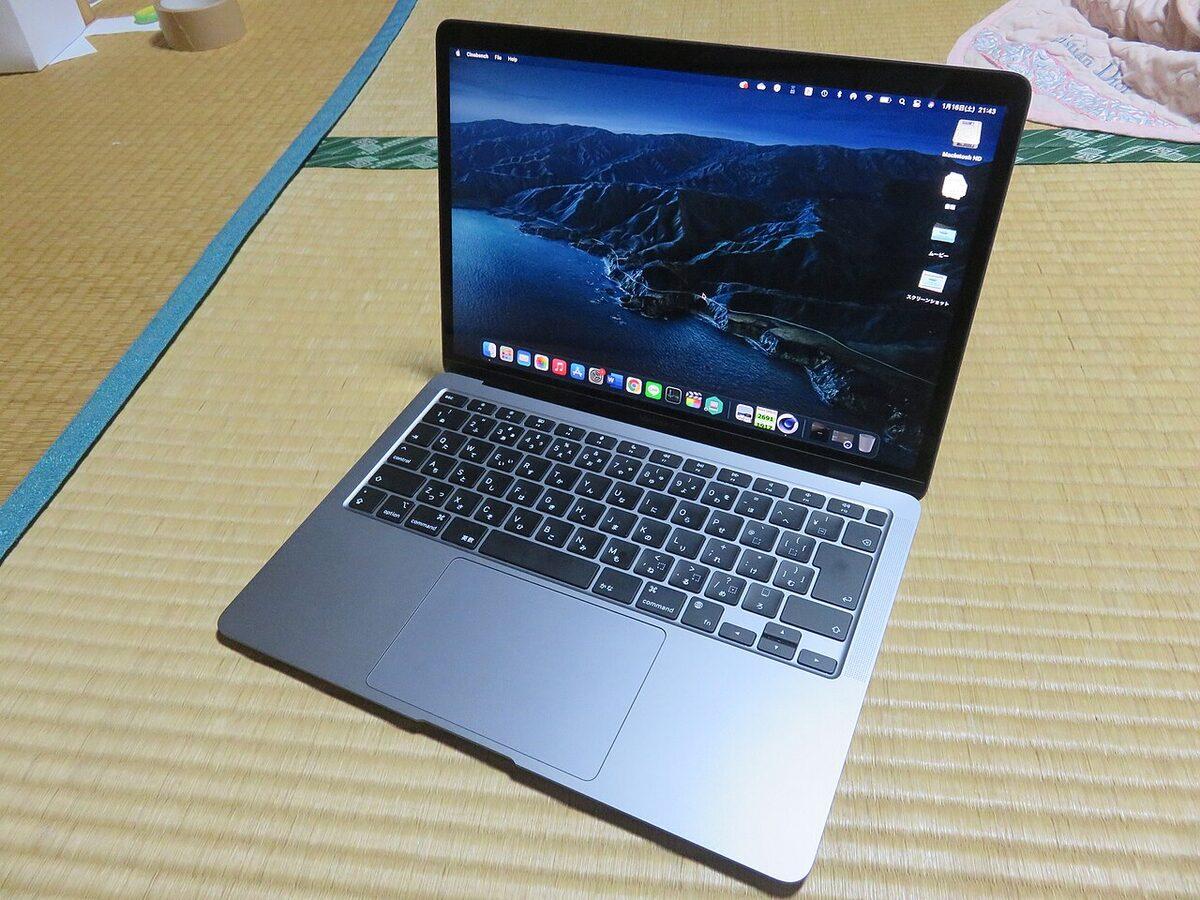
Common configurations
- Launched
- 2020
- Processor
- Apple M1
- GPU
- Integrated
- RAM
- 8GB, 16GB
- Storage
- 256GB, 512GB, 1TB, 2TB
Filled dots are the options this model came in; open dots are other sizes found elsewhere in our catalogue.
52 models, coloured by type. The year is the model's launch year in our catalogue.
Good for
- Students who want long battery life and a quiet machine for notes, browsing and assignments
- Office work, email, video calls and light photo editing
- Buyers who want a light Mac (about 1.29 kg)
- Beginner programmers working on web or iOS projects in macOS
Not ideal for
- Gamers: most Windows games do not run, and there is no Boot Camp on Apple silicon
- Anyone who needs two external monitors, since the M1 drives only one
- Long video exports or heavy sustained work, where the fanless design slows down
- People who need Windows-only software that has no Arm or macOS version
Strengths
- No fan, so it is completely silent under any load
- Apple rates it at up to 15 hours of wireless web use from a 49.9 Wh battery
- Sharp 2560 x 1600 Retina display with P3 wide colour
- Light and well built aluminium body
- Still fast enough for everyday work years after launch
Weaknesses
- Only two Thunderbolt / USB 4 ports plus a headphone jack, so a hub is often needed
- Supports only one external display
- 720p webcam is mediocre for video calls
- Under long loads performance drops because there is no fan; Notebookcheck measured a loss of about 12% in a repeated Cinebench run
- RAM and SSD are soldered and cannot be upgraded
Which configuration to choose
Typical units have 8GB of RAM and a 256GB or 512GB SSD (Apple lists 16GB of RAM as the only upgrade). That is fine for students and office work, but RAM cannot be added later, so if you keep many browser tabs open, run code tools or edit photos, look for a 16GB unit. Storage is also fixed; if you keep large files on the laptop, 512GB saves you from relying on external drives. The 8-core GPU only matters for light graphics work. Since all M1 Airs are now several years old, battery condition matters more than small spec differences.
Buying one used? Check these
- Make sure Find My Mac is off and the seller has signed out of their Apple Account. Ask them to erase the Mac in front of you; if setup shows an Activation Lock screen asking for an Apple Account, do not buy it
- Check battery cycle count: hold Option, click the Apple menu, open System Information, then Power. Apple rates this model for 1000 cycles. Also check Battery Health in System Settings
- Confirm RAM, storage and GPU cores in System Information. The M1 came with either a 7-core or an 8-core GPU, and 8GB or 16GB of RAM
- Check the serial number on Apple's coverage page and match it to the one under the laptop and in About This Mac
- Inspect the screen for scratches or pressure marks, and look for dead pixels on a plain white and black background
- Test both USB-C ports for charging and data, and charge with a known working USB-C adapter
- Ask for the original box or receipt; it helps if you ever need Apple's help with an Activation Lock request
Ask us where to buy this laptop
Selling an Apple MacBook Air (M1, 2020)? See what it's worth
Common questions
Is the MacBook Air M1 still worth buying used?
For study, office work and browsing it is still quick and very quiet. The main things to watch are battery wear and the fixed 8GB RAM on most units. Check the cycle count and make sure Activation Lock is off before you pay.
Can I play games or run Windows on the M1 MacBook Air?
Boot Camp is not available on Apple silicon Macs. Microsoft supports Arm versions of Windows 11 in Parallels Desktop, but it says some apps and games, especially those that rely on DirectX 12, may not work. Treat this Mac as a work and study machine, not a gaming laptop.
Does the M1 Air support two monitors?
No. Apple lists support for one external display at up to 6K 60Hz alongside the built-in screen. Check a dock's compatibility notes before relying on it for more screens, because that is not the same as native support.
Does the MacBook Air M1 have a fan?
No, it is fanless. It stays silent, but under long heavy loads it slows down to stay cool. Notebookcheck saw a performance drop of about 12% after several runs of a demanding benchmark.
Related guides
- Laptop Docks and Monitors: USB-C, Thunderbolt and Mac Limits
- Choosing a Laptop for University in Malaysia
- Sell or Upgrade Your Old Laptop? How to Decide
- Used Laptop Buying Checklist: What to Check Before You Pay
- Used vs Refurbished vs New Laptop: Which Should You Buy?
Compare with
- Apple MacBook Air (M1, 2020) vs Apple MacBook Air (M2, 2022)
- Apple MacBook Air (M1, 2020) vs Apple MacBook Air (M4, 2025)