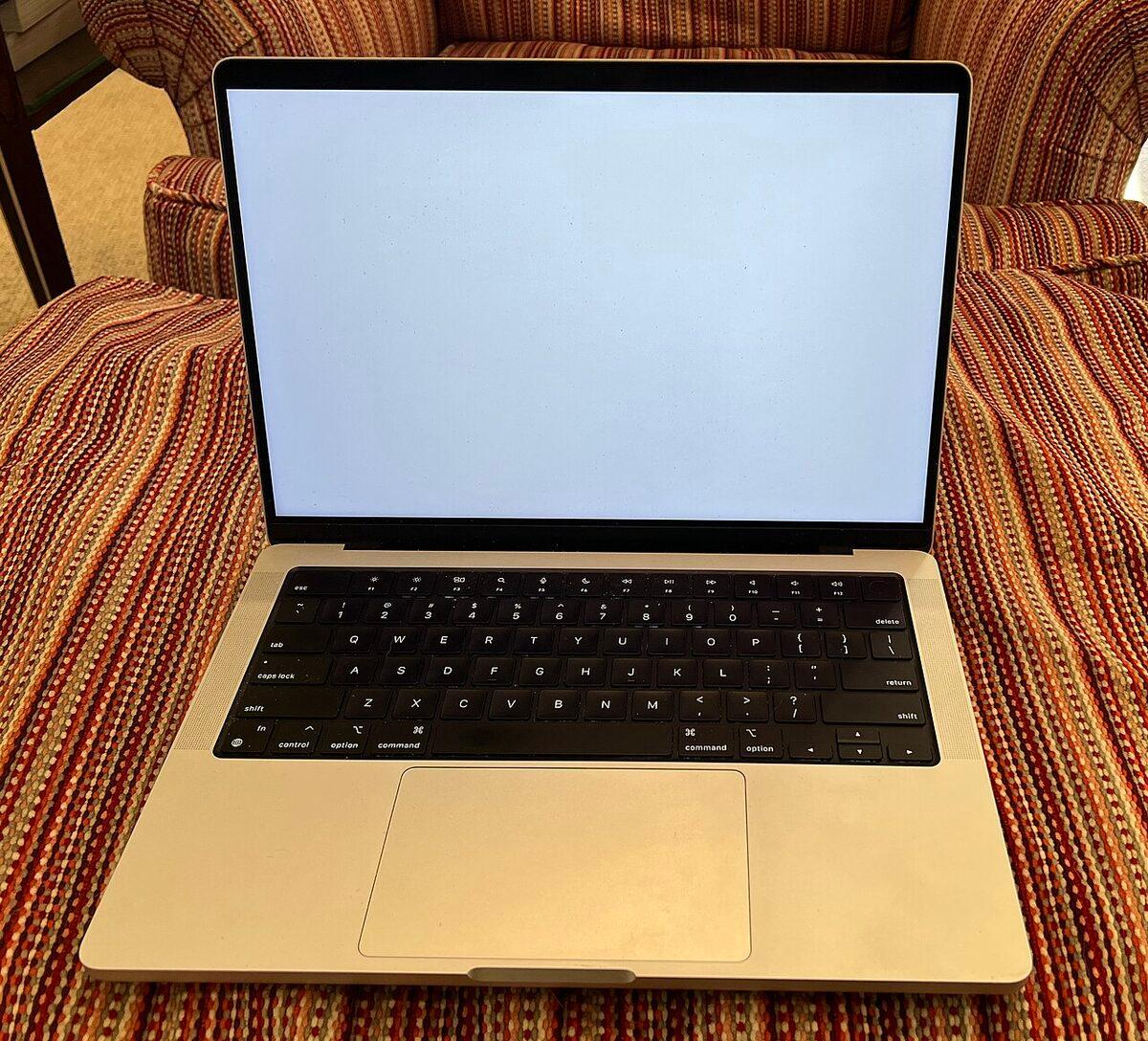
Apple MacBook Pro 14-inch (M1 Pro, 2021)
The 2021 14-inch MacBook Pro with M1 Pro is a proper work laptop: a mini-LED XDR display with 120Hz ProMotion, active cooling, HDMI, an SD card slot and MagSafe 3. Used units suit video editors, photographers and developers who want sustained performance in a portable Mac.
Common configurations
- Launched
- 2021
- Processor
- Apple M1 Pro
- GPU
- Integrated
- RAM
- 16GB, 32GB
- Storage
- 512GB, 1TB, 2TB
Filled dots are the options this model came in; open dots are other sizes found elsewhere in our catalogue.
52 models, coloured by type. The year is the model's launch year in our catalogue.
Good for
- Video and photo editors who want a bright HDR screen and steady performance
- Developers who run many tools at once and need 16GB or more
- Creators who use SD cards and HDMI monitors without dongles
- People who need two external displays from a Mac
Not ideal for
- Gamers, since most Windows games do not run and Boot Camp is not available
- Buyers who only need a light study machine; a MacBook Air is lighter
- People sensitive to screen flicker, as the mini-LED backlight uses high-frequency PWM
- Anyone who wants the lightest Mac; this one weighs about 1.6 kg
Strengths
- 14.2-inch Liquid Retina XDR display, up to 1000 nits sustained and 1600 nits peak in HDR, with 120Hz ProMotion
- Fans keep performance steady under long loads; Notebookcheck found it stays quiet in CPU work and holds speed on battery
- Good ports: three Thunderbolt 4, HDMI, SDXC slot, MagSafe 3 and headphone jack
- Supports two external displays at up to 6K
- Starts at 16GB RAM and 512GB SSD
- Physical function keys instead of a Touch Bar
Weaknesses
- Mini-LED blooming: halos show around bright objects on dark backgrounds
- SDR brightness is about 500 nits; the very high figures apply only to HDR content
- Large notch in the display; Notebookcheck said it does not look very nice
- HDMI port is HDMI 2.0, so external 4K is limited to 60Hz
- RAM and storage are soldered and cannot be upgraded
Which configuration to choose
The base M1 Pro with 8 CPU cores, 14 GPU cores, 16GB RAM and 512GB is already strong for photo editing, coding and 4K video editing. If you do heavy video work, the 10-core CPU with the 16-core GPU is the better buy; Notebookcheck found the base model slightly limited by its 67W charger under combined CPU and GPU load. 32GB RAM helps with large projects and virtual machines. Note that the base 8-core model shipped with a 67W charger, while the 10-core and M1 Max models came with a 96W charger, which is the one that supports fast charging. Storage cannot be expanded, but the SD slot and Thunderbolt make external drives easy to use.
Buying one used? Check these
- Make sure Find My Mac is off and the seller has signed out of their Apple Account. After erasing, setup must not show an Activation Lock screen
- Check battery cycle count in System Information > Power (Apple rates it for 1000 cycles) and Battery Health in System Settings. A machine used for heavy editing may have a worn battery
- Confirm the exact chip in About This Mac: the 8-core CPU / 14-core GPU base version, the 10-core CPU version with a 14- or 16-core GPU, or an M1 Max listed under the same name
- Test the display on full black and full white for dead pixels, pressure marks and uneven backlight zones
- Try the HDMI port, the SD card slot, MagSafe and all three Thunderbolt ports
- Run a long export or benchmark and listen for fan rattle or grinding
- Check the serial on Apple's coverage page and ask for proof of purchase
Ask us where to buy this laptop
Selling an Apple MacBook Pro 14-inch (M1 Pro, 2021)? See what it's worth
Common questions
Is the 14-inch MacBook Pro M1 Pro still good for video editing?
Yes for most creators. It has active cooling, so it holds performance during long exports, and the XDR screen is good for HDR grading. Choose 16-core GPU and 32GB RAM if you edit long or high-bitrate projects.
How many external monitors does the M1 Pro support?
Apple lists support for two external displays at up to 6K 60Hz on the M1 Pro. The M1 Max can drive more. The HDMI port can run one display up to 4K at 60Hz.
Does the MacBook Pro M1 Pro screen have blooming?
It can. The mini-LED backlight uses local dimming zones, so you may see halos around bright items on a dark background, especially in dark scenes.
Can I run Windows or play PC games on it?
Boot Camp is not available on Apple silicon. Microsoft supports Arm Windows 11 in Parallels Desktop, but some games and apps, especially those that need DirectX 12, may not work. It is best treated as a work machine.